Register a Datsun 240Z
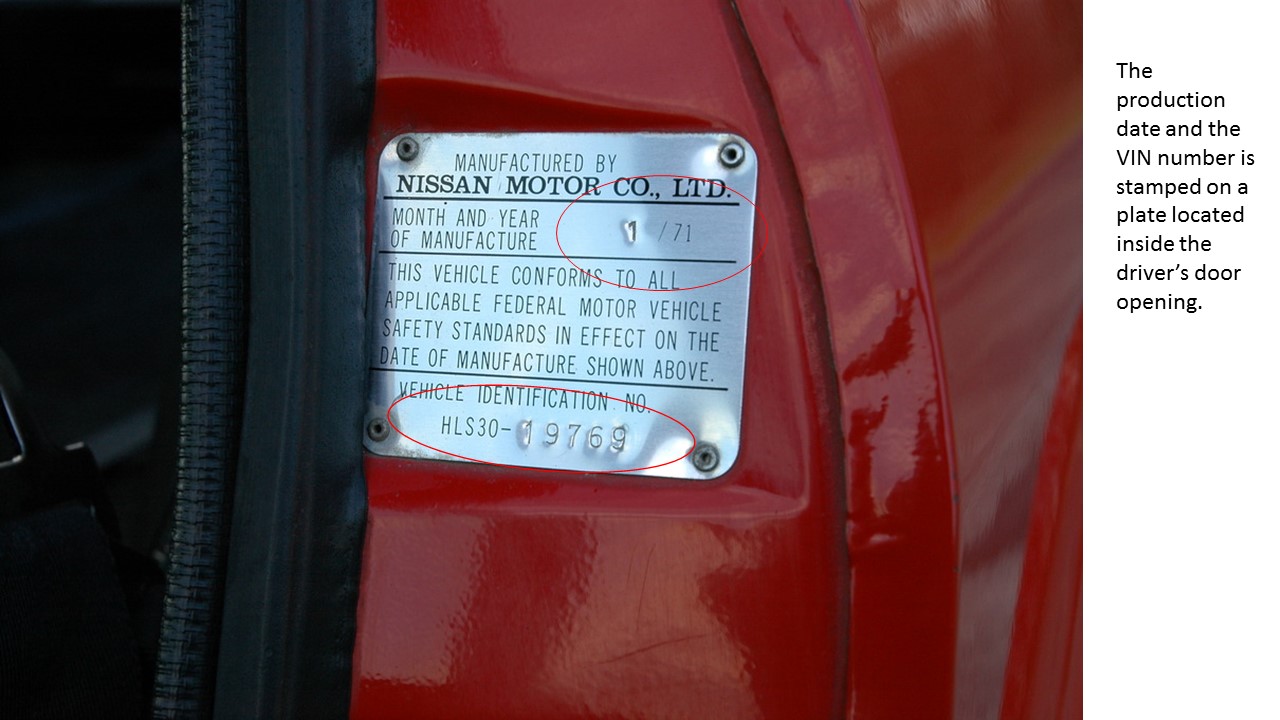
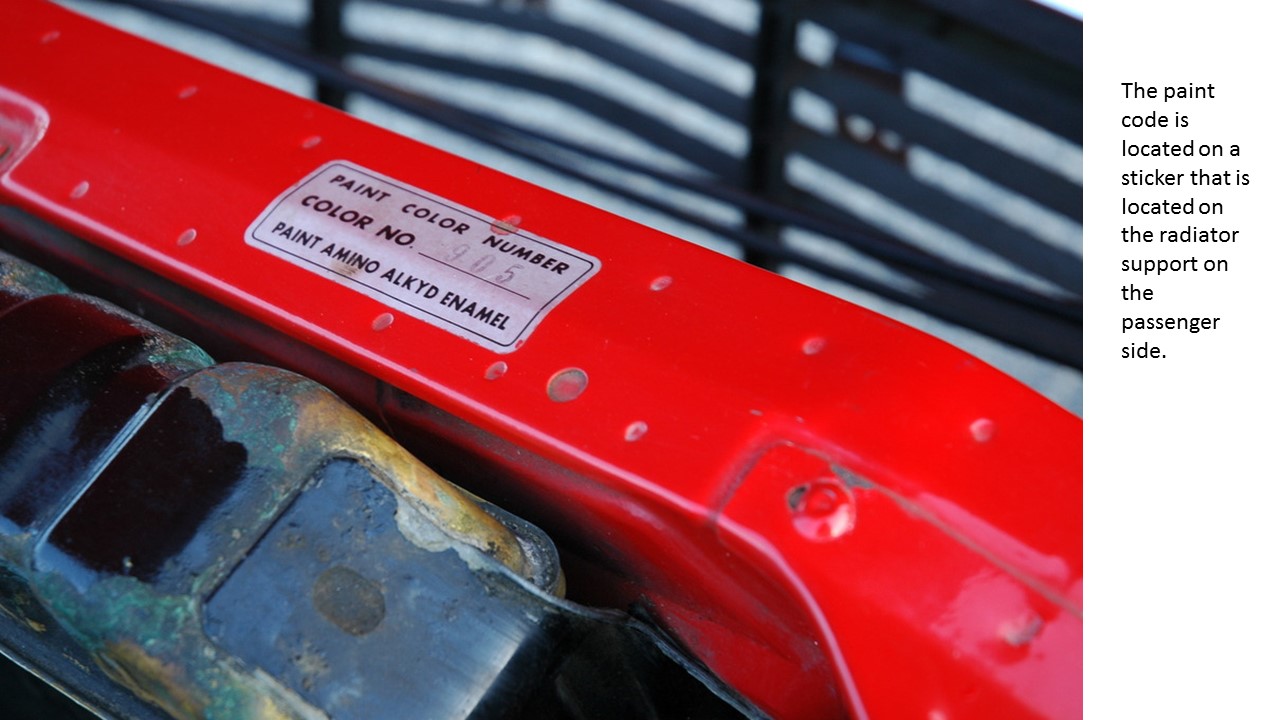
Please complete the following form to register your 240Z. You will be contacted by email if there are any questions or issues with your registration information. Please ensure that you have all of the necessary information and photos before you start.
If you have any questions, your can contact us at zregistry@aol.com


Required Photos
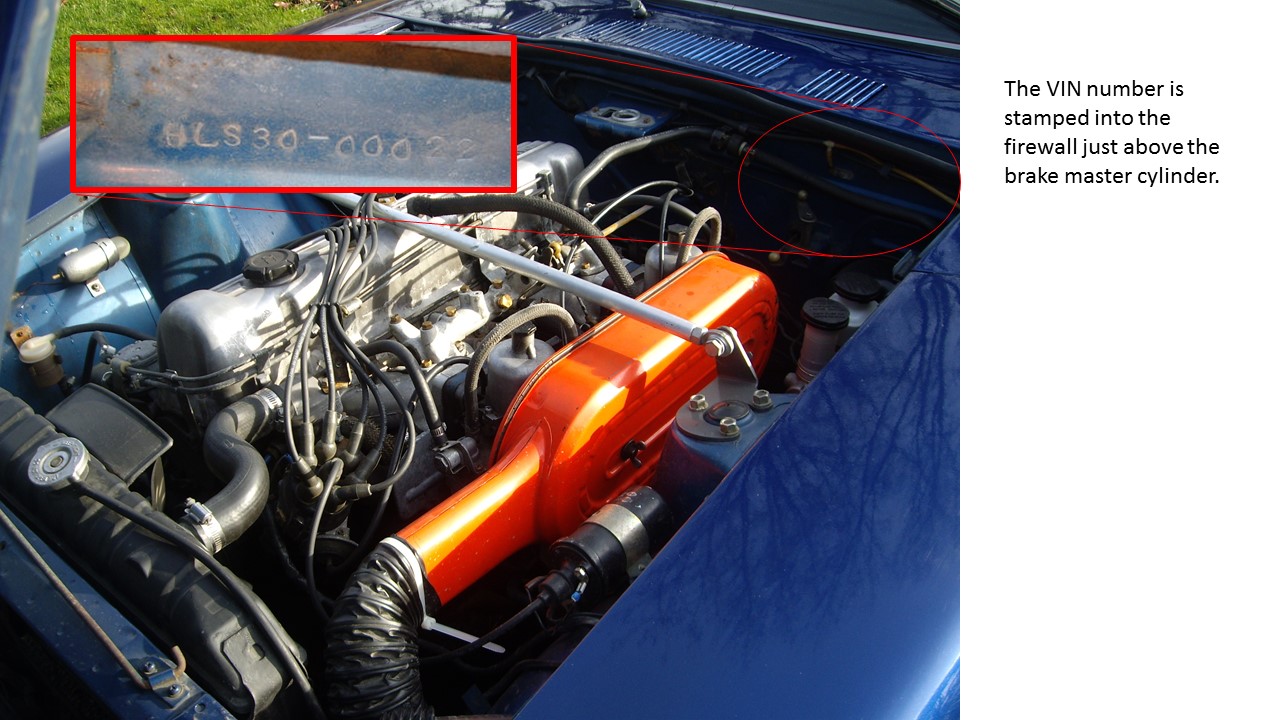
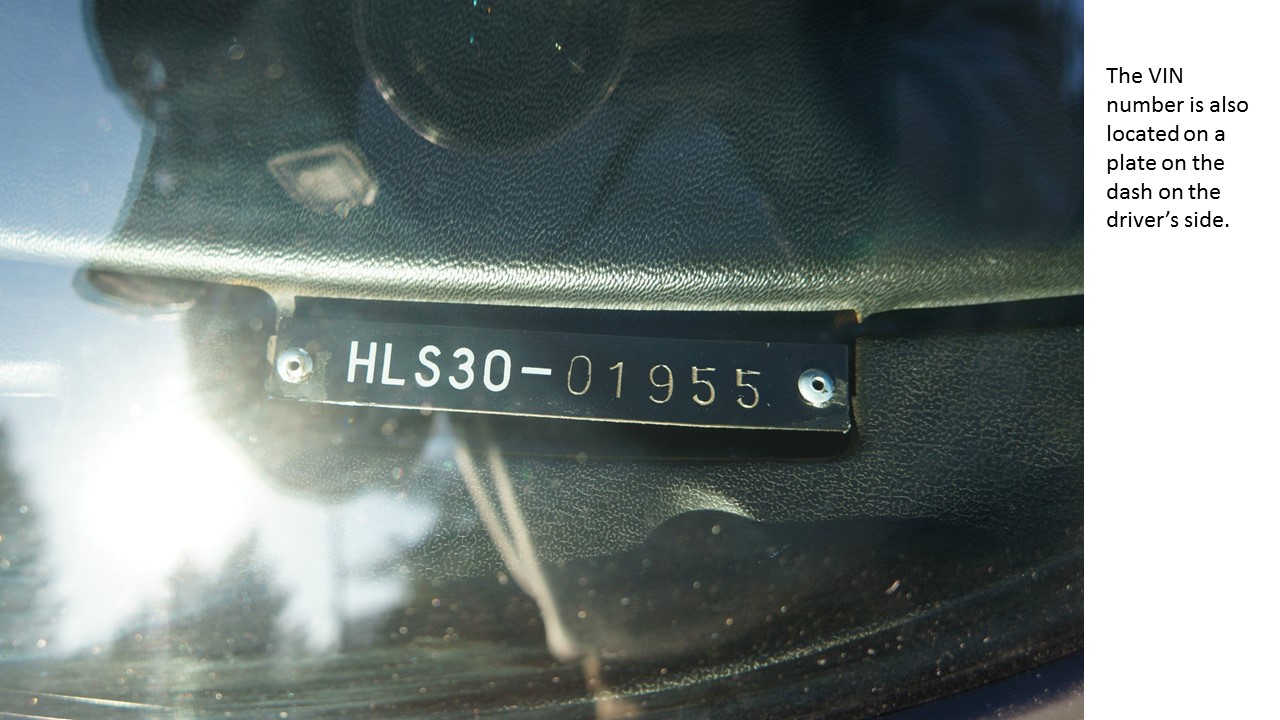
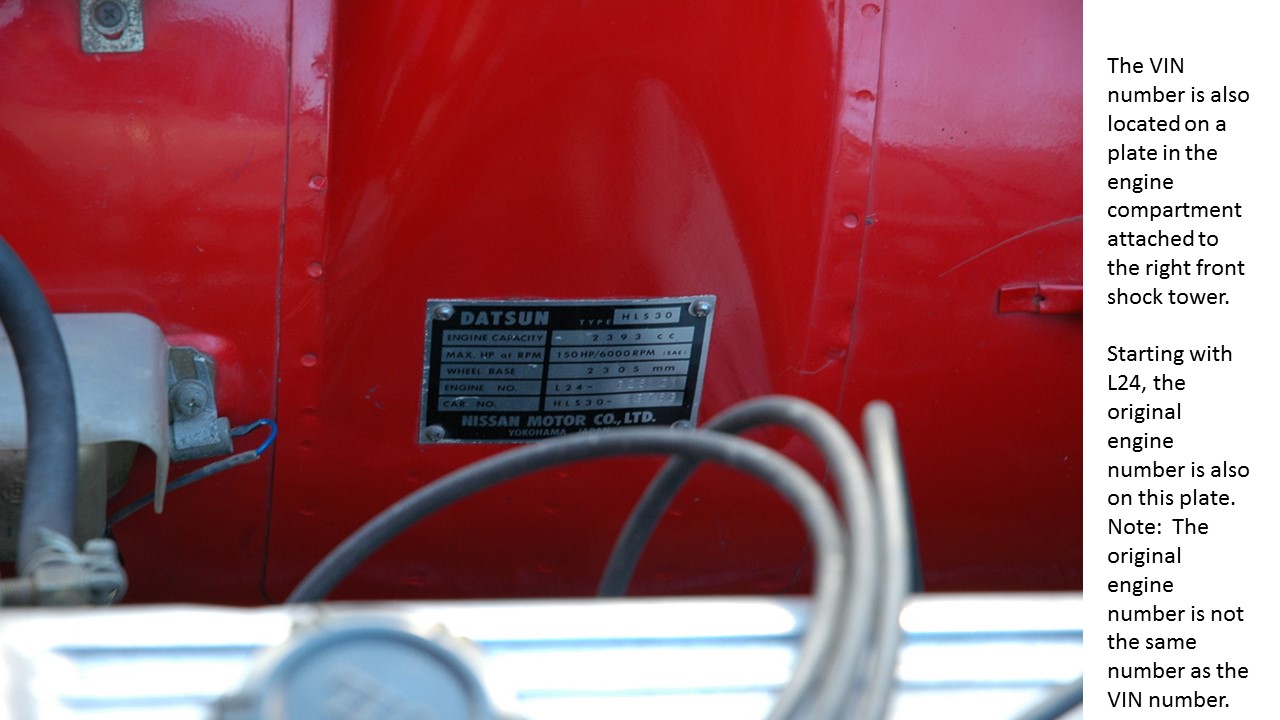
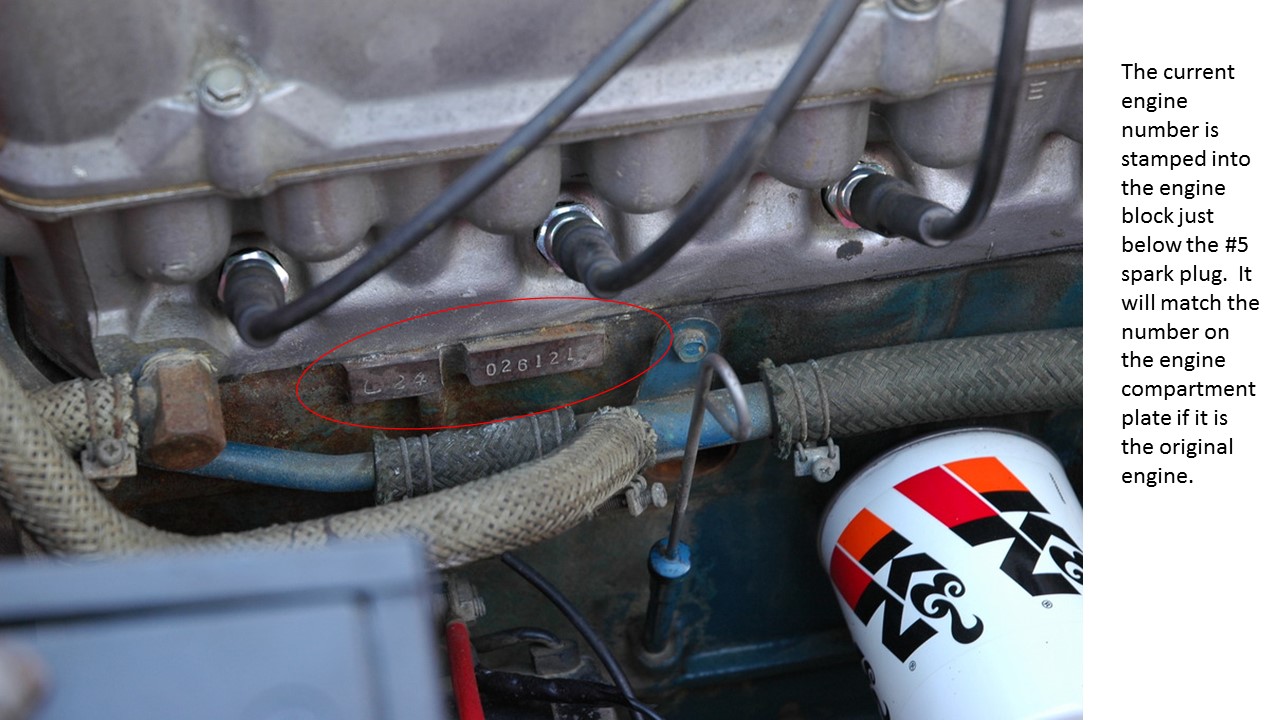
IMPORTANT NOTE: You must submit the following required photos to complete your registration.
Optional Photos
You can add additional photos of your car, up to 10 at a time. There is no limit for the optional photos. This can include original documentation, restoration photos, basically anything you want. If you want to add more than 10 photos, just refresh the page and add more. The optional photos uploads are independent of the registration data or the required photos. So you don’t need to re-do those sections.
Although the title of each block says “Required”, each one is OPTIONAL.
This completes the registration process. Your information will be evaluated to ensure that it is complete and accurate. We will contact you if there are any questions about your data.
 ZRegistry.org